 Slow-Burn Cinematic Intro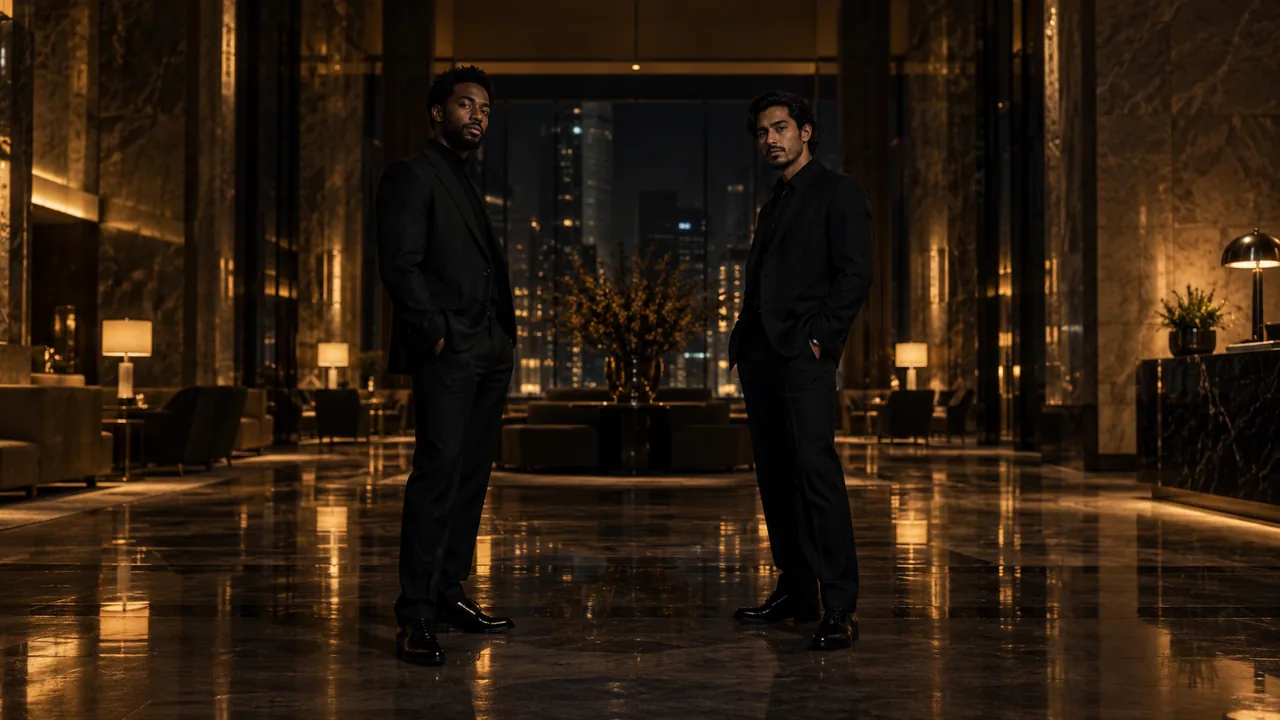
Start with a clear visual idea
The slow-burn idea builds anticipation instead of opening with fast cuts. In an empty grand lobby, two performers are directed to enter from opposite sides and meet under warm light. A controlled camera move and one closer shared moment give the scene its intended progression; choose 15 seconds for more room to unfold.
An empty space for the entrance
The grand lobby and reflective floor leave room for two separate arrivals. The lack of a crowd makes the subjects’ positions more important.
Pools of warm light
Warm highlights and sculpted dark areas define the intended path through the room. The look should remain restrained rather than becoming a bright stage show.
A meeting as the visual payoff
The recipe describes the pair converging and a tighter shared view. Generative staging can vary; a starting photograph is not an exact choreography map.
Three ways to describe the scene
Choose a single example as a starting brief in a prompt-enabled tool. Replace any subject description with a reference you have permission to use. Avoid stacking all three examples into one request.
The gradual meeting
Create a vertical fictional cinematic introduction using these two individual portrait references. In a spacious, quiet lobby, let the performers approach from different sides and meet near a warm pool of light. Use a controlled camera move and restrained expressions. Keep their identities and clothing consistent as the view becomes closer.
The meeting provides one clear progression. It avoids requesting several unrelated locations or elaborate choreography in the same clip.
Light as the guide
Build a calm two-person entrance in a dark grand interior with warm floor reflections. Let light guide attention from separate sides of the frame toward the pair together. Keep movement measured, facial features readable and the background minimal. Finish with a closer shared composition without text or logos.
This version describes attention through light and position. It is a visual brief, not a promise about precise blocking.
An understated opening
Reimagine the referenced pair in a quiet hotel-lobby opening. Favor spacious framing, natural posture and a gentle forward camera movement. Make the transition to their shared presence the main event. Avoid crowds, rapid cuts, extreme gestures and a requested famous song; maintain coherent faces and outfits.
A short list of priorities helps the slow pacing stay distinct from the more energetic montage effects.
What to make explicit
Build one dramatic beat
Separate arrival, approach and meeting form a coherent idea. Several scene changes dilute the slow-burn direction and create more continuity to manage.
Describe restraint positively
Measured movement, quiet expressions and minimal background activity explain the intended pace more clearly than a list of everything to avoid.
Treat timing as an intention
The default is 10 seconds; choose 15 seconds for a longer opening. A model may not place the meeting or cut on an exact beat, so review the generated sequence before editing.
How these examples relate to this studio
The generator on this site takes one person in each of two separate portraits and applies a fixed Slow-Burn Cinematic Intro scene recipe. You do not need to type a prompt to use it, and pasting an example does not change its settings.
This scene defaults to 10 seconds in a 9:16 frame. Choose 10 or 15 seconds and a portrait, square or landscape format in the generator. Your account stores credits; package cards show the video time those credits cover. Camera motion, expressions, scene details and any audio are generated, so an example is an intention rather than an exact output guarantee.
A rap-style visual does not guarantee a particular commercial song, lyrics, choreography or lip synchronization. Do not request a real person’s endorsement or claim that synthetic performance footage is an actual recording.
Questions before you start
Can I edit the prompt in this generator?
No. The current studio provides one fixed scene recipe, with one portrait for a solo scene or two separate portraits for a pair. These public examples are learning material, not a custom-prompt setting.
Are these the exact internal generation prompts?
No. They are separately written public examples that explain the effect’s visual choices. The private recipe, provider settings and billing controls are kept on the server.
Do both people need to wear the same style?
No. Choose the clothing you want referenced, with clear, separate outlines. Consistent wardrobe is requested, but details still need to be checked in the completed clip.
MAKE YOUR SCENE